The internet continues to shape how businesses connect with customers, making web design one of the most valuable digital skills today. Every business, whether small or large, needs a professional website that looks attractive, loads quickly, and delivers a seamless user experience.
But what exactly does a web designer do?
A web designer is responsible for planning and creating the visual appearance, structure, and user experience of a website. Their goal is to build websites that are visually appealing, easy to navigate, responsive across devices, and aligned with a brand’s identity.
What Is Web Design?
Web design is the process of designing the appearance and interactive experience of a website. It combines creativity with usability by carefully arranging layouts, colors, typography, images, and navigation to create websites that are both attractive and functional.
Modern web design also emphasizes accessibility, mobile responsiveness, and user-friendly interfaces that perform well on desktops, tablets, and smartphones.
Main Responsibilities of a Web Designer
A web designer wears many hats throughout a website project. Their responsibilities often include:
1. Designing Website Layouts
One of the primary responsibilities of a web designer is creating visually engaging page layouts that reflect a company’s brand and business goals.
This includes designing:
- Homepage layouts
- Landing pages
- Product pages
- Contact pages
- Blog pages
- User dashboards
The objective is to create a clean, professional design that guides visitors naturally through the website.
2. Creating User-Friendly Navigation
Visitors should never struggle to find information.
A web designer carefully structures menus, navigation bars, buttons, and page hierarchy to improve the overall browsing experience and reduce user frustration.
3. Building Wireframes and Mockups
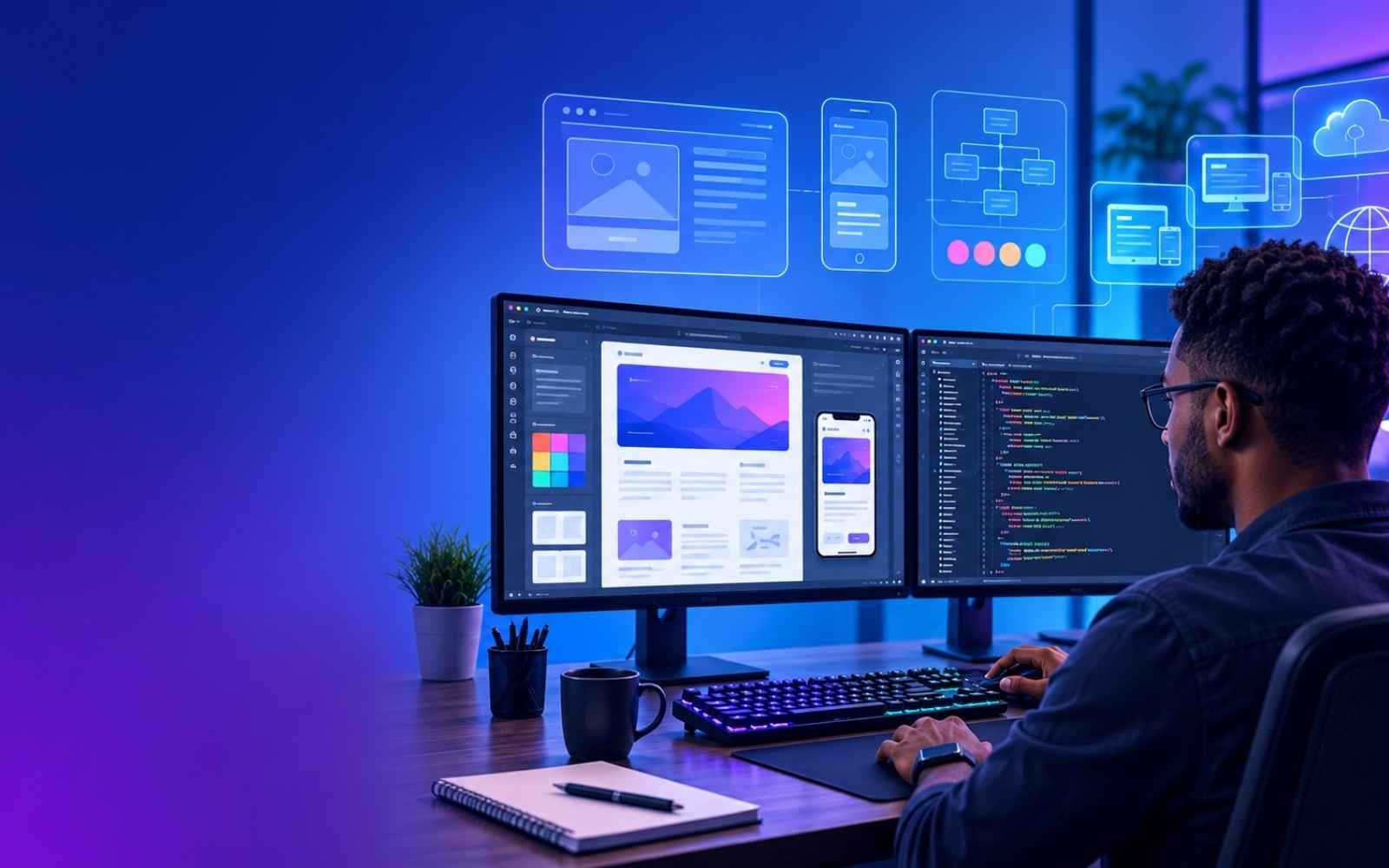
Before development begins, designers create wireframes and visual mockups to plan the website’s layout.
These prototypes help clients visualize the final product while allowing designers to test ideas before coding starts.
4. Managing Design Assets
Web designers organize digital resources such as:
- Logos
- Icons
- Fonts
- Images
- Brand colors
- Graphics
Keeping these assets organized helps ensure consistency across the entire website.
5. Working With Developers and Content Teams
Web designers rarely work alone.
They collaborate closely with:
- Web developers
- Copywriters
- Marketing teams
- SEO specialists
- Project managers
This teamwork ensures that the final website is visually attractive, technically sound, and optimized for users.
6. Updating Existing Websites
Many businesses regularly redesign or improve their websites.
Web designers help by:
- Refreshing outdated layouts
- Improving usability
- Updating branding
- Enhancing page performance
- Adding new features
Why Responsive Web Design Matters
Today, users browse websites on a wide range of devices.
Responsive web design ensures a website automatically adjusts to different screen sizes, providing an excellent viewing experience whether someone visits from a desktop, tablet, or smartphone.
Responsive websites offer several benefits:
- Better user experience
- Improved mobile accessibility
- Higher search engine rankings
- Easier website maintenance
- Increased customer engagement
Responsive design has become a standard requirement for modern websites.
Essential Skills Every Web Designer Needs
A successful web designer combines creativity with technical expertise.
Soft Skills
Communication
Designers need strong communication skills to understand client requirements, explain design ideas, and collaborate effectively with team members.
Time Management
Managing multiple projects and meeting deadlines is an essential part of professional web design.
Collaboration
Successful projects require designers to work alongside developers, marketers, writers, and business stakeholders.
Technical Skills
Visual Design
Understanding design principles such as:
- Color theory
- Typography
- Layout
- Balance
- Contrast
- Visual hierarchy
helps create attractive and professional websites.
User Experience (UX) Design
UX design focuses on creating websites that are intuitive, easy to use, and enjoyable for visitors.
Designers research user behavior and build interfaces that solve real problems.
Design Software
Most web designers use professional tools including:
- Figma
- Adobe Photoshop
- Adobe Illustrator
- Sketch
These applications help create layouts, mockups, icons, and other design assets.
Basic Coding Skills
Although web designers are not always developers, understanding basic coding makes collaboration much easier.
Useful languages include:
- HTML
- CSS
- JavaScript
Knowing how websites are built allows designers to make minor changes and communicate effectively with developers.
Programming Languages Every Web Designer Should Know
HTML
HTML provides the structure of every webpage. It defines headings, paragraphs, images, links, forms, and other page elements.
CSS
CSS controls the visual appearance of websites, including colors, spacing, fonts, layouts, and responsive behavior.
JavaScript
JavaScript adds interactivity to websites through features such as:
- Sliders
- Popups
- Forms
- Animations
- Dynamic content
Python
While not required for every designer, Python can be useful for building advanced web applications and working alongside frameworks like Django.
Is Web Design a Good Career?
Absolutely.
Businesses increasingly depend on their online presence, creating strong demand for skilled web designers across industries.
Whether you choose to work:
- Full-time
- Freelance
- As an agency designer
- As a UI/UX specialist
web design offers excellent career flexibility and long-term growth opportunities.
How to Become a Web Designer
If you’re interested in pursuing web design, follow these steps:
Learn Design Fundamentals
Master layout, typography, colors, spacing, and responsive design principles.
Study UX Principles
Understand how users interact with websites and learn to design intuitive experiences.
Learn Basic Front-End Development
Become familiar with HTML, CSS, and JavaScript.
Build Real Projects
Practice by designing:
- Business websites
- Portfolio websites
- Landing pages
- E-commerce stores
- Personal projects
Create a Strong Portfolio
Showcase your best work with clear project descriptions, highlighting the challenges you solved and the results you achieved.
Continue Learning
Technology evolves quickly, so keep improving your skills through online courses, certifications, and hands-on experience.
Final Thoughts
Web design is much more than making websites look beautiful. It combines creativity, technical knowledge, and problem-solving to create digital experiences that help businesses grow and users achieve their goals.
Whether you’re just starting your career or looking to expand your digital skills, learning web design can open the door to exciting opportunities in freelancing, agencies, startups, and enterprise organizations. By building a solid foundation in design principles, user experience, and front-end technologies, you’ll be well-equipped for success in one of today’s most in-demand digital careers.