
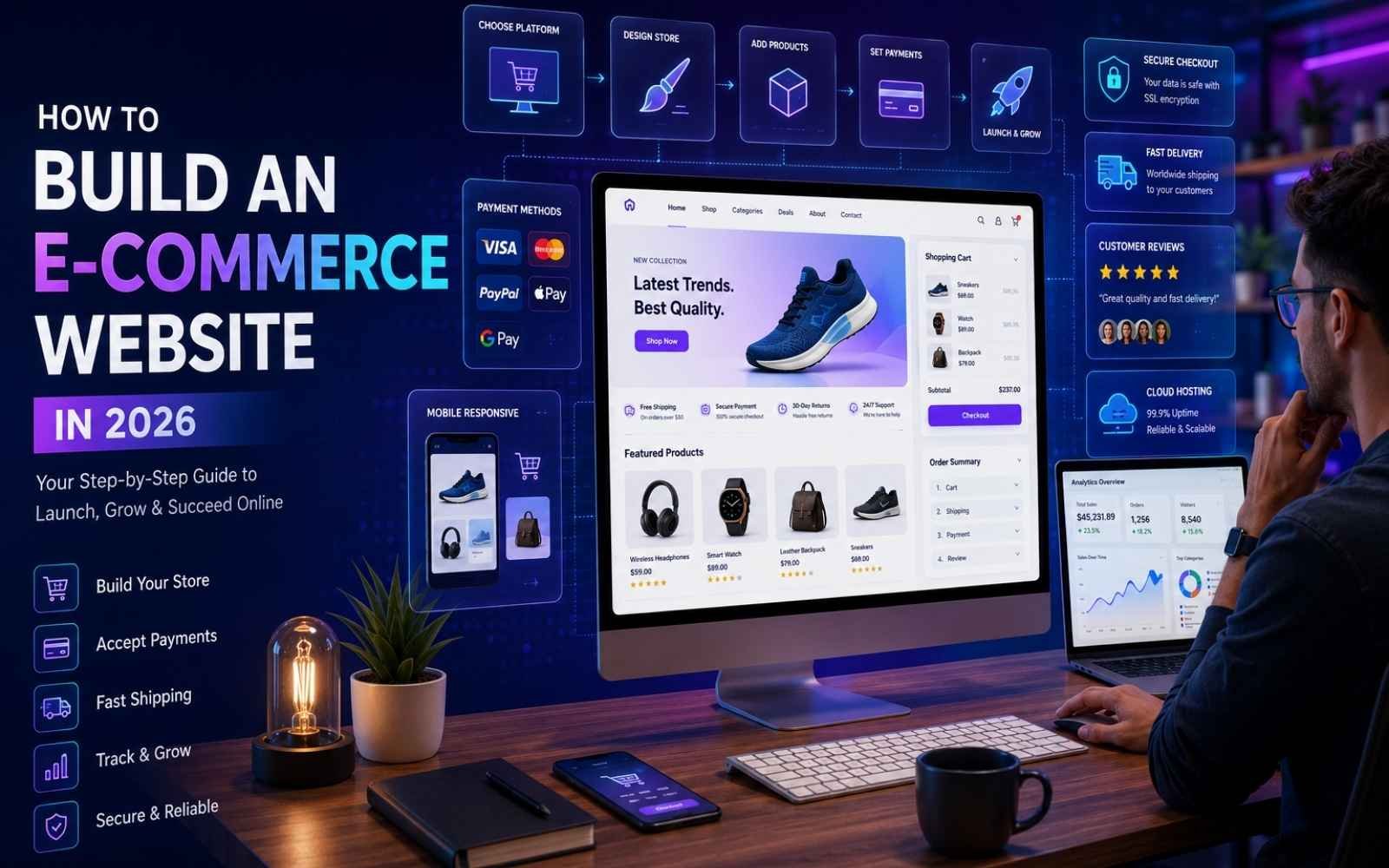
How to Build an E-commerce Website
Launching an online store has never been more accessible. Whether you’re selling physical products, digital downloads, handcrafted items, or subscription services, an e-commerce website gives your business the opportunity to reach customers around the world.
A professionally designed online store serves as your digital storefront. It showcases your products, builds trust with customers, processes payments securely, and allows shoppers to browse and purchase at any time. A successful e-commerce website combines attractive design, intuitive navigation, fast performance, and a seamless shopping experience.
In this comprehensive guide, you’ll learn every step involved in building an e-commerce website—from choosing the right business model to launching and growing your online store.
Why Every Business Needs an E-commerce Website
Consumer shopping habits continue to shift toward online purchasing. Customers expect businesses to provide a convenient way to browse products, compare prices, and complete purchases from anywhere.
An e-commerce website offers several benefits:
- Sell products 24/7
- Reach customers worldwide
- Build your brand online
- Accept secure online payments
- Reduce operational costs
- Track customer behavior
- Scale your business faster
Unlike social media pages, your website gives you complete control over your branding, customer experience, and sales process.
Step 1: Define Your E-commerce Business Model
Before building your website, determine how your business will operate. Your business model influences your website’s features, inventory management, and marketing strategy.
Common e-commerce business models include:
Business-to-Consumer (B2C)
This is the most common model, where businesses sell products or services directly to individual customers.
Examples include:
- Fashion stores
- Electronics shops
- Grocery delivery
- Beauty products
Business-to-Business (B2B)
Businesses sell products or services to other companies instead of individual consumers.
Examples include:
- Office supplies
- Industrial equipment
- Software subscriptions
Consumer-to-Consumer (C2C)
Online marketplaces allow individuals to buy and sell products to one another.
Examples include:
- Marketplace websites
- Auction platforms
- Classified listings
Consumer-to-Business (C2B)
Individuals offer products or professional services to companies.
Examples include:
- Freelancers
- Consultants
- Photographers
- Designers
Choosing the right business model helps shape your website structure and customer journey.
Choose Your Fulfillment Method
Next, decide how products will reach customers.
Popular fulfillment options include:
Direct-to-Consumer (D2C)
Manufacture or source products and sell them directly through your own website.
Dropshipping
A supplier stores inventory and ships products directly to customers after an order is placed, reducing upfront inventory costs.
Wholesale
Purchase products in bulk at discounted prices and resell them individually.
Private Label
Work with manufacturers to produce products exclusively under your own brand.
Subscription Model
Deliver products to customers on a recurring schedule, such as weekly or monthly.
Each model has different inventory, shipping, and operational requirements.
Step 2: Choose the Right E-commerce Platform
Selecting the right e-commerce platform is one of the most important decisions you’ll make when building your online store. Your platform acts as the backbone of your business, providing the tools needed to manage products, process payments, track inventory, handle customer accounts, fulfill orders, and scale your operations as your business grows.
The best platform for you depends on your budget, technical expertise, business size, and long-term goals. Below are some of the most popular e-commerce platforms available today.
Shopify
Shopify is one of the world’s leading e-commerce platforms, making it an excellent choice for beginners, entrepreneurs, and growing businesses. It offers a fully hosted solution, allowing you to launch an online store quickly without worrying about server management or security.
Key Features
- Easy and fast setup
- Professionally designed, mobile-responsive themes
- Secure cloud hosting
- Built-in payment processing with multiple gateway options
- Extensive App Store with thousands of integrations
- Inventory and order management
- Multi-channel selling (Facebook, Instagram, Amazon, TikTok, etc.)
- Excellent scalability for growing businesses
Best For:
- Startups
- Small to medium-sized businesses
- Dropshipping stores
- Businesses looking for an all-in-one solution
WooCommerce
WooCommerce is a powerful, open-source e-commerce plugin built specifically for WordPress. It transforms any WordPress website into a fully functional online store, offering unmatched flexibility and customization.
Unlike hosted platforms, WooCommerce gives you complete ownership and control over your website, making it a popular choice for businesses that want maximum customization and advanced SEO capabilities.
Key Features
- Free and open-source
- Built on WordPress
- Highly customizable
- Thousands of themes and plugins
- Excellent SEO capabilities
- Supports physical and digital products
- Multiple payment gateway integrations
- Flexible shipping and tax management
- Large developer and community support
Best For:
- Businesses already using WordPress
- Companies that require full customization
- Content-driven websites
- SEO-focused businesses
- Developers and agencies
Wix eCommerce
Wix combines an intuitive drag-and-drop website builder with robust e-commerce features, making it easy for anyone to create an attractive online store without coding.
Its visual editor allows complete creative freedom while providing built-in tools for product management, payments, and marketing.
Key Features
- Drag-and-drop website builder
- Beautiful customizable templates
- Mobile-optimized designs
- Secure payment processing
- Inventory management
- Marketing and email tools
- App Marketplace
- Built-in hosting
Best For:
- Small businesses
- Personal brands
- Creative professionals
- Beginners with little technical experience
BigCommerce
BigCommerce is an enterprise-grade e-commerce platform designed for businesses that need advanced functionality, scalability, and high-performance online stores.
It includes powerful built-in features that reduce the need for third-party applications.
Key Features
- Advanced SEO tools
- Multi-channel selling
- International commerce support
- Unlimited products
- Built-in B2B functionality
- Enterprise-level security
- Flexible APIs
- Advanced product management
Best For:
- Medium to large businesses
- High-volume online stores
- International brands
- Businesses planning rapid growth
How to Choose the Best E-commerce Platform
Before making your decision, compare each platform based on the following criteria:
- Pricing: Monthly subscription fees, transaction costs, and additional expenses.
- Ease of Use: How simple the platform is to set up and manage.
- SEO Features: Built-in tools that help your website rank higher in search engines.
- Payment Gateways: Availability of secure payment options for your target market.
- Design Flexibility: Themes, templates, and customization capabilities.
- Scalability: Ability to support business growth without performance issues.
- Third-Party Integrations: Compatibility with marketing tools, CRM software, shipping providers, and accounting systems.
- Security: SSL certificates, fraud protection, backups, and PCI compliance.
- Customer Support: Availability of technical assistance, documentation, and community resources.
Final Recommendation
- Choose Shopify if you want an easy-to-use, all-in-one hosted solution.
- Choose WooCommerce if you want complete control, powerful SEO, and extensive customization on WordPress.
- Choose Wix if you’re a beginner looking for a simple drag-and-drop website builder.
- Choose BigCommerce if you operate a large or rapidly growing business that requires advanced e-commerce capabilities.
Step 3: Design Your Online Store
Your website’s appearance directly affects customer trust and purchasing decisions.
Start with a professionally designed template that aligns with your brand identity.
Important pages every online store should include:
- Homepage
- Product Categories
- Product Pages
- Shopping Cart
- Checkout
- About Us
- Contact Page
- Search Bar
- Privacy Policy
- Terms & Conditions
- Newsletter Signup
Keep your design:
- Clean
- Fast
- Mobile responsive
- Easy to navigate
- Consistent with your brand colors and typography
Before building, sketch a simple wireframe to organize page layouts and user flow.
Design Tips for Higher Conversions
A beautiful website is only effective if it encourages visitors to make purchases.
Follow these best practices:
- Use large, high-quality product images.
- Maintain consistent branding.
- Add clear call-to-action buttons.
- Minimize unnecessary distractions.
- Make checkout quick and simple.
- Display trust badges and secure payment icons.
- Optimize loading speed.
- Ensure mobile responsiveness.
Good design improves customer confidence and increases conversion rates.
Step 4: Add Products to Your Online Store
Once your website structure is complete, it’s time to populate your store with products. Your product pages play a significant role in influencing purchase decisions, so each listing should be informative, visually appealing, and easy to navigate.
Every product page should include:
- High-quality product images from multiple angles
- A clear and descriptive product title
- Detailed product descriptions
- Accurate pricing
- Product variations (size, color, style, etc.)
- Stock availability
- Shipping information
- Customer reviews
- Related product recommendations
If you offer a large catalog, organize your products into categories and enable filters such as:
- Price
- Brand
- Color
- Size
- Popularity
- New Arrivals
- Best Sellers
A well-organized catalog helps customers find products quickly and improves their shopping experience.
Step 5: Configure Payment and Shipping
An online store is incomplete without secure payment processing and reliable shipping options.
Payment Methods
Offer multiple payment options to reduce cart abandonment and improve convenience.
Popular payment gateways include:
- Stripe
- PayPal
- Interswitch
- Square
- Shopify Payments
- Paystack
- Flutterwave
- Local payment providers (depending on your country)
Ensure your checkout process is:
- Secure
- Mobile-friendly
- Easy to complete
- Transparent about fees and taxes
Shipping Options
Choose shipping methods that suit your business model.
Common shipping options include:
- Standard Shipping
- Express Delivery
- Local Delivery
- Store Pickup
- International Shipping
Display estimated delivery times and shipping costs before customers reach the payment page to build trust and reduce abandoned carts.
Step 6: Launch Your E-commerce Website
Before going live, thoroughly test every part of your website.
Launch Checklist
- Test all navigation links.
- Verify product pricing.
- Check inventory accuracy.
- Test payment processing.
- Review shipping calculations.
- Optimize for mobile devices.
- Ensure fast page loading.
- Fix broken links.
- Proofread all content.
- Test contact forms.
After launch, announce your store through social media, email newsletters, and paid advertising to attract your first customers.
Promote Your Online Store
Building your website is only the beginning. You also need a marketing strategy to attract visitors and generate sales.
Effective promotional channels include:
Search Engine Optimization (SEO)
Optimize your website by:
- Using relevant keywords
- Writing unique product descriptions
- Creating helpful blog content
- Optimizing image alt text
- Improving page speed
- Building internal links
Social Media Marketing
Promote products consistently on platforms such as:
- TikTok
- X (formerly Twitter)
Email Marketing
Grow an email list and send:
- Welcome emails
- Product launches
- Exclusive discounts
- Abandoned cart reminders
- Seasonal promotions
Paid Advertising
Use advertising platforms like Google Ads and Meta Ads to reach your target audience and increase brand visibility.
How Much Does It Cost to Build an E-commerce Website?
The cost of creating an online store depends on your chosen platform and business requirements.
Typical expenses include:
- E-commerce platform subscription
- Domain name
- Web hosting (if applicable)
- Premium themes
- Plugins or apps
- Professional branding
- Product photography
- Marketing budget
You can start with a simple website and invest in additional features as your business grows.
Best Practices for E-commerce Success
Display Customer Reviews
Customer testimonials and product ratings help build trust and encourage new visitors to make purchases.
Use High-Quality Images
Professional product photography improves credibility and allows shoppers to evaluate products more confidently.
Make Good Use of White Space
A clean layout with adequate spacing improves readability, highlights key information, and creates a modern shopping experience.
Optimize for SEO
Search engine optimization helps your products appear in search results, bringing more organic traffic to your store.
Build Your Brand Presence
Maintain active social media profiles, collaborate with influencers, and engage with your audience to strengthen your online presence.
Stay Updated
Monitor changes in customer behavior, technology, and e-commerce trends so you can continually improve your website and shopping experience.
Common Mistakes to Avoid
Many new online store owners make avoidable mistakes that can hurt sales.
Avoid these pitfalls:
- Choosing the wrong e-commerce platform
- Using poor-quality product images
- Writing generic product descriptions
- Ignoring mobile optimization
- Complicated checkout processes
- Slow-loading pages
- Weak product categorization
- Lack of trust signals
- Poor SEO
- Inconsistent branding
Final Thoughts
Building an e-commerce website requires thoughtful planning, the right technology, and a customer-focused approach. From choosing a business model and selecting an e-commerce platform to designing your store, adding products, configuring payments, and promoting your business, each step contributes to your long-term success.
Remember that launching your website is only the beginning. Continuously improve your store by analyzing customer behavior, updating your product catalog, refining your marketing strategy, and staying informed about the latest e-commerce trends. A well-maintained online store can become a powerful asset that drives sustainable business growth for years to come.
Frequently Asked Questions (FAQs)
1. What is an e-commerce website?
An e-commerce website is an online platform that allows businesses to sell products or services directly to customers through the internet.
2. Which platform is best for beginners?
Platforms with beginner-friendly setup and hosted infrastructure are commonly chosen by first-time store owners. The uploaded source discusses Shopify, Wix, and BigCommerce as popular options.
3. How much does it cost to build an online store?
Costs vary depending on your platform, domain, hosting, themes, and marketing needs. You can start small and expand as your business grows.
4. Do I need coding skills?
Many modern e-commerce platforms allow you to create an online store without writing code.
5. How can I attract visitors?
Use SEO, social media marketing, email campaigns, and paid advertising to drive traffic to your store.
6. What payment methods should I offer?
Provide secure payment options that suit your target audience and market.
7. Why is mobile responsiveness important?
A responsive website delivers a better shopping experience across phones, tablets, and desktops.
8. What is e-commerce SEO?
E-commerce SEO is the process of optimizing your online store to rank higher in search engine results and attract more organic visitors.
9. How often should I update my online store?
Regularly update products, promotions, and content to keep your website fresh and engaging.
10. Is starting an e-commerce business worth it?
Many businesses use e-commerce to expand their reach and sell online, making it a valuable channel for growth when planned and managed effectively.