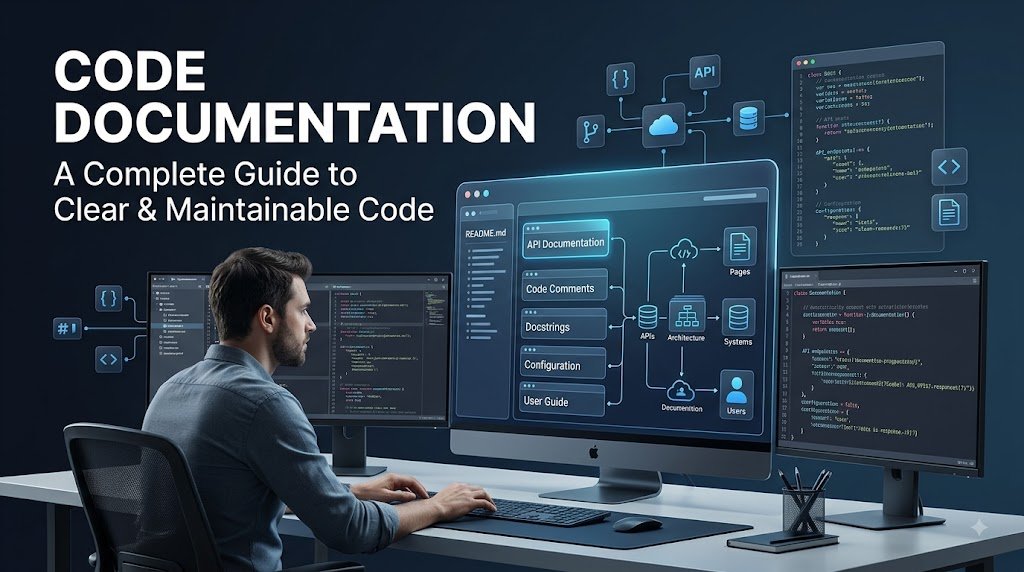
Writing good code is only one part of building reliable software. As applications become larger and development teams grow, developers also need clear documentation that explains how the code works, why certain decisions were made, and how different parts of the system should be used.
Code documentation provides this information in a structured and accessible way. It helps developers understand unfamiliar code, maintain existing applications, onboard new team members, troubleshoot problems, and collaborate more effectively.
In this guide, we’ll explain what code documentation is, explore the major types, discuss its benefits and challenges, and share practical best practices for creating documentation that remains useful as your software evolves.
What Is Code Documentation?
Code documentation is the written information that explains a software project’s source code, functionality, structure, and intended use.
It can be written directly within the source code or provided through separate documents and resources. Depending on the project, documentation may be designed for developers, technical teams, project stakeholders, testers, contributors, or end users.
Good documentation gives people the context they need to understand a codebase without having to figure everything out from the source code alone.
For example, documentation can explain:
- What a function or class does
- Why a particular approach was selected
- What parameters a function requires
- What a method returns
- How to install and configure an application
- How an API works
- How different components interact
- How users should operate a software product
Ultimately, effective documentation makes software easier to understand, maintain, and develop.
Why Is Code Documentation Important?
Software projects rarely remain unchanged. Features are added, bugs are fixed, developers leave and join teams, and applications are deployed to new environments.
Without reliable documentation, developers may spend unnecessary time trying to understand how an existing system works.
Good code documentation can:
- Improve collaboration between developers
- Make software easier to maintain
- Speed up debugging and troubleshooting
- Reduce the learning curve for new developers
- Preserve important technical decisions
- Make APIs and software easier to use
- Improve knowledge sharing across teams
- Support a more efficient software development lifecycle
Documentation is especially valuable when working with large or complex applications where understanding the entire codebase can be difficult.
Types of Code Documentation
The type of documentation you need depends on your software, audience, and development workflow.
Here are some of the most common types of code documentation.
1. Inline Comments
Inline comments are short explanations written directly inside source code.
They are particularly useful when the reason behind a piece of code is not immediately obvious.
For example, a comment can explain why a specific algorithm was selected, why a particular workaround is necessary, or why a business rule exists.
Good comments should provide useful context rather than simply repeating what the code already says.
2. Docstrings
Docstrings are documentation written alongside functions, classes, modules, and methods.
They can describe:
- What the function does
- Required parameters
- Expected return values
- Possible errors
- Usage examples
- Important implementation details
Languages and documentation tools can use docstrings to automatically generate reference documentation, making them particularly useful for libraries and APIs.
3. API Documentation
API documentation explains how developers can interact with an application’s programming interfaces.
Well-written API documentation commonly includes:
- Available endpoints
- HTTP methods
- Authentication requirements
- Request parameters
- Request examples
- Response formats
- Error responses
- Usage examples
Clear API documentation makes it much easier for developers to integrate external services and applications.
4. README Documentation
A README file is often the first document developers encounter when exploring a software project.
A good README can explain:
- What the project does
- Its main features
- System requirements
- Installation instructions
- Configuration steps
- How to run the application
- Common commands
- Usage examples
- Contribution guidelines
- Links to additional documentation
README files are particularly important for open-source projects because they help contributors understand how to get started quickly.
5. Walkthrough Documentation
Walkthrough documentation provides developers with a guided explanation of a codebase.
Instead of focusing on individual functions, it can explain how different components work together and how developers should approach common tasks.
This type of documentation is particularly useful for onboarding new developers and helping contributors understand unfamiliar repositories.
6. Architecture and System Documentation
Architecture documentation provides a high-level view of how a software system is designed.
It may describe:
- Major system components
- Relationships between services
- Software architecture
- System requirements
- Design principles
- Data flows
- Infrastructure
- Architecture diagrams
This documentation helps developers understand the bigger picture instead of focusing only on individual pieces of code.
7. Configuration Documentation
Configuration documentation explains the settings that control how an application behaves.
It may describe configuration variables, accepted values, default settings, environment variables, and deployment-specific options.
Good configuration documentation allows users and developers to customize an application without unnecessarily modifying its source code.
8. User-Facing Documentation
Not all software documentation is written for developers.
User-facing documentation helps customers and other end users understand how to use a product.
It can include:
- User manuals
- Tutorials
- Frequently asked questions
- Troubleshooting guides
- Feature documentation
- Step-by-step instructions
This type of documentation should generally use simpler language and focus on helping users accomplish specific tasks.
Who Uses Code Documentation?
Code documentation can benefit almost everyone involved in building, testing, managing, or using software.
Software Developers
Developers use documentation to understand existing code, troubleshoot problems, implement new features, and collaborate with other members of a development team.
Good documentation can also make it easier to onboard new developers and reduce the amount of time spent trying to understand unfamiliar code.
Project Managers
Project managers can use technical documentation to gain a better understanding of a software project’s architecture, requirements, dependencies, and technical limitations.
This knowledge can help with planning, communication, risk management, and identifying potential technical debt.
Quality Assurance Testers
QA engineers and testers can use documentation to understand how an application is expected to behave.
This information can help them create appropriate test scenarios, identify unexpected behavior, and communicate issues to developers.
Technical Writers
Technical writers often transform complex technical information into documentation that developers, customers, or other users can understand.
They may create API references, user guides, tutorials, setup documentation, and other technical resources.
Data Scientists
For data science and machine learning projects, documentation can help explain datasets, analytical processes, models, algorithms, and experiments.
This makes it easier for other team members to reproduce research and understand how results were produced.
Benefits of Good Code Documentation
Investing in documentation can provide significant benefits throughout the software development lifecycle.
1. Easier Software Maintenance
Well-documented software is easier to modify and maintain.
When developers understand how an application is structured and why certain decisions were made, they can make changes with greater confidence.
Documentation can also assist with:
- Bug fixes
- Refactoring
- Feature updates
- Performance optimization
- Troubleshooting
2. Faster Developer Onboarding
New developers don’t have to learn everything by reading thousands of lines of source code.
A well-organized documentation system can provide them with the information they need to understand the project, set up their development environment, and begin contributing more quickly.
3. Better Team Collaboration
Documentation creates a shared source of information for development teams.
Instead of relying on one developer’s memory or repeatedly explaining the same process, important technical knowledge can be recorded and made available to everyone.
4. Reduced Development Time
Clear documentation reduces the amount of time developers spend searching through code or asking other team members how a system works.
This can make development, troubleshooting, testing, and deployment more efficient.
5. Lower Risk
Poor communication and undocumented technical decisions can introduce unnecessary risks into software projects.
Maintaining accurate documentation helps teams understand requirements, technical decisions, processes, and system behavior.
Challenges of Code Documentation
Although documentation has many benefits, maintaining it can also be challenging.
1. Complex Code Structures
Software doesn’t always follow a simple linear structure.
A function may be defined in one part of a project and used somewhere completely different. Modern applications may also span multiple repositories, services, databases, and cloud environments.
As a result, documenting relationships between different components can require a deeper understanding of the system.
2. Different Levels of Technical Knowledge
Documentation may be read by people with very different technical backgrounds.
A senior developer may understand terminology that a junior developer or end user does not.
One solution is to organize documentation according to the intended audience and provide additional explanations where necessary.
3. Keeping Documentation Updated
One of the biggest challenges is documentation that becomes outdated.
If developers change the code without updating the associated documentation, users may eventually receive incorrect information.
Documentation should therefore be treated as part of the development process rather than as a one-time task.
What Is Basic Code Documentation?
Basic code documentation, sometimes called low-level documentation, usually refers to information written close to the source code.
Common examples include:
- Inline comments
- Function comments
- Docstrings
- Method descriptions
- Class documentation
This type of documentation explains what individual pieces of code do and can provide context that may not be obvious from the implementation itself.
How to Write Effective Code Documentation
Creating useful documentation requires more than simply adding comments to your code.
Use these best practices to create documentation that developers and users will actually find valuable.
1. Define Your Audience
Before writing documentation, determine who will use it.
Documentation written for experienced developers can be more technical, while documentation for beginners or end users should explain concepts in simpler language.
2. Explain Important Coding Decisions
Don’t only explain what your code does. When necessary, explain why it was designed that way.
Documenting important architectural, design, or algorithmic decisions gives future developers the context they need when modifying the system.
3. Maintain Consistency
Use consistent terminology, formatting, structure, and naming conventions throughout your documentation.
A documentation style guide can help development teams maintain a consistent approach across different projects and contributors.
4. Keep Explanations Clear and Concise
Avoid documenting every obvious line of code.
Documentation should provide useful information without creating unnecessary noise.
Use straightforward language and explain technical terminology when your audience may not understand it.
5. Include Examples
Examples can make complicated concepts significantly easier to understand.
Where appropriate, include:
- Code snippets
- API requests
- API responses
- Configuration examples
- Diagrams
- Practical use cases
A developer can often understand a concept much faster by seeing a working example.
6. Keep Documentation Close to the Code
Documentation is easier to maintain when it is integrated into the development workflow.
Practices such as documentation-as-code, README files, inline comments, and docstrings allow developers to update documentation alongside code changes.
7. Review Documentation Regularly
Documentation should evolve as the software evolves.
Include documentation reviews in your development process and update relevant pages whenever functionality, architecture, configuration, or APIs change.
Version control systems such as Git can also help teams track changes to documentation.
8. Automate Documentation Where Possible
Automation can reduce the amount of manual work required to create and maintain technical documentation.
Tools such as Doxygen, Javadoc, Sphinx, and JSDoc can generate documentation from source code and developer comments.
Automated documentation is particularly useful for large projects and public libraries where maintaining API references manually can become time-consuming.
Code Documentation Best Practices at a Glance
For a quick reference, follow these principles:
- Know your audience.
- Explain the purpose of the code.
- Document important technical decisions.
- Avoid unnecessary comments.
- Use clear and consistent language.
- Include practical examples.
- Keep documentation close to the code.
- Update documentation when the code changes.
- Use version control for documentation.
- Automate documentation generation where practical.
Final Thoughts
Code documentation is an essential part of professional software development. It helps developers understand complex systems, improves collaboration, simplifies maintenance, and makes software easier to use.
The best documentation is not necessarily the longest documentation. Instead, it provides the right information to the right audience at the right time.
Whether you’re building a small personal project, an enterprise application, an API, or an open-source library, make documentation part of your development workflow from the beginning.
By combining clear explanations, useful examples, consistent structure, regular reviews, and automation, you can create documentation that remains valuable throughout the life of your software project.